Wednesday, November 19, 2008

Wednesday, September 3, 2008
Akshar Ganpati
Akshar Ganesh


Ganpati Bappa Morya !!!
Wednesday, August 27, 2008
<form action="http://www.google.com/cse" id="cse-search-box">
<div>
<input type="hidden" name="cx" value="partner-pub-9547970871879735:oxk40awblgl" />
<input type="hidden" name="ie" value="ISO-8859-1" />
<input type="text" name="q" size="31" />
<input type="submit" name="sa" value="Search" />
</div>
</form>
<script type="text/javascript" src="http://www.google.com/coop/cse/brand?form=cse-search-box&lang=en"></script>
<div>
<input type="hidden" name="cx" value="partner-pub-9547970871879735:oxk40awblgl" />
<input type="hidden" name="ie" value="ISO-8859-1" />
<input type="text" name="q" size="31" />
<input type="submit" name="sa" value="Search" />
</div>
</form>
<script type="text/javascript" src="http://www.google.com/coop/cse/brand?form=cse-search-box&lang=en"></script>
Thursday, July 3, 2008
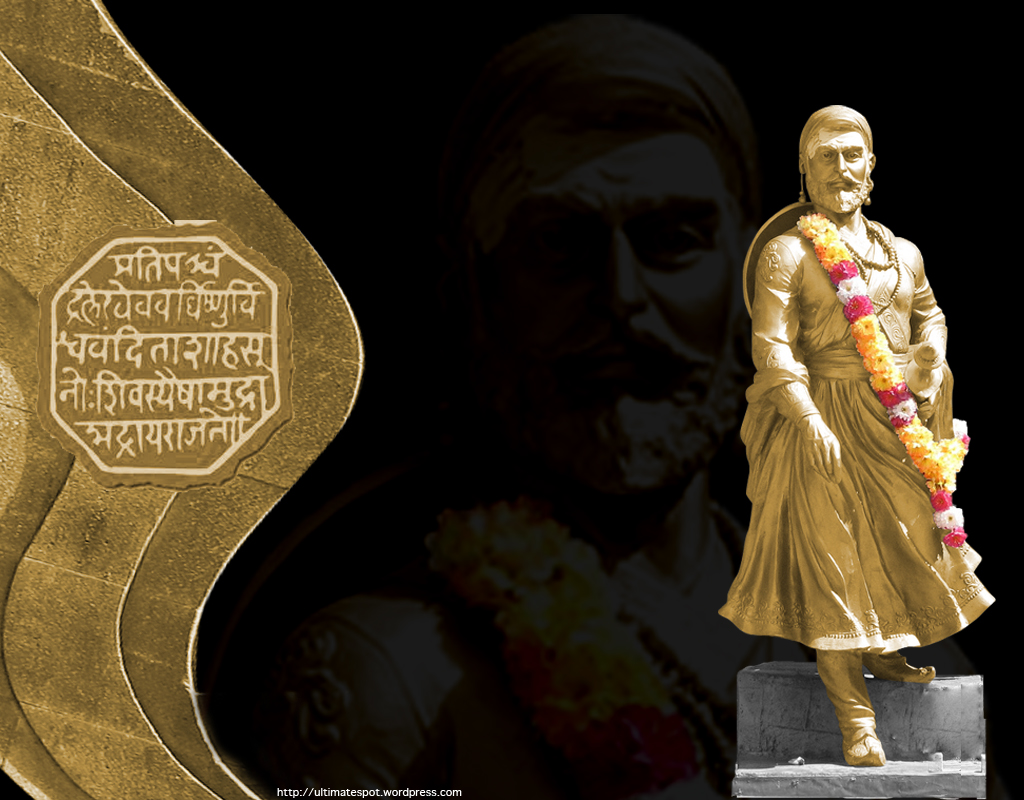
[caption id="attachment_88" align="alignnone" width="457" caption="Shivaji Maharaj"] [/caption]
 [/caption]

![[shivaji-001.jpg]](http://2.bp.blogspot.com/_Z52ncXEQGNA/SSRmpx-oFuI/AAAAAAAAI3M/1hUvXpixSdI/s1600/shivaji-001.jpg)
| CHHATRAPATI SHIVAJI MAHARAJ - THE LEGEND | |
 | |
| He founded the Hindu kingdom in the Deccan against all odds , fighting against the mighty Mughals.He inspired and united the common man to fight against the tyranny of Mughal ruler Aurangjeb, by inculcating a sense of pride and nationality in them. At the age of 16, he took a pledge to establish a sovereign Hindu state.He clearly outstands all the rulers and generals of India by the exemplary life he lived and is thus respected by the entire cross section of Indians. Shivaji's military skills could be compared to those of Napolean. He raised a strong army and navy, constructed and repaired forts, used gureilla warfare tactics,developed a strong intelligence network,gave equal treatment to the people from all religions and castes based on merit, and functioned like a seasoned Statesman and General. He appointed ministers with specific functions such as Internal security,Foreign affairs,Finance,Law and Justice,Religious matters,Defence etc. He introduced systems in revenue collection and warned the officials against harassment of subjects.He thought ahead of times and was a true visionary.In his private life, his moral virtues were exceptionally high.His thoughts and deeds were inspired by the teachings of his mother Jijabai,teacher Dadaji Konddev,great saints like Dnyaneshwar & Tukaram and the valiancy and ideals of the Lords Rama and Krishna. The tiny kingdom established by Chhatrapati Shivaji known as "Hindavi Swaraja" (Sovereign Hindu state) grew and spread beyond Attock in Northwest India (now in Pakistan)and beyond Cuttack in East India in course of time, to become the strongest power in India. After the death of Chhatrapati Shivaji & his son Sambhaji, their prime ministers or ‘the Peshwas' became the defacto rulers. The Peshwas and the Maratha Sardars (Chieftans) like Shindes of Gwalior, Gaekwads of Baroda & Holkars of Indore contributed to the growth of the Maratha Confederacy. The history of India is incomplete without the history of Marathas and Shivaji is the nucleus of Maratha history. Shivaji has been a source of inspiration and pride to the past generations and will continue to inspire generations in future. We salute this legend and humbly dedicate this website to him. PRATI KOLHAPUR AT SHIVAJI PARKPrati Kolhapur Mahotsav was inaugurated by Hon'ble Chief Minister of Maharashtra Mr. Ashok Chavan and Hon'ble Deputy Chief Minister Mr. Chhagan Bhujbal at Shivajji Park in Bombay (now Mumbai). The festival is a brainchild of Mr.Vinay Kore, Hon'ble Minister for Non-conventional Energy and Horticulture in Maharashtra, who succeeded in bringing Kolhapur to Mumbai with the festival that boasted of carefully selected monuments from Kolhapur, recreated by Nitin Chandrakant Desai of Raja Shivchhatrapati fame. A congregation of over 1 lakh Kolhapurites gathered at Shivaji Park to witness the celebration. The day also marked the establishment of Raja Shri Sahu Kolhapur Vikas Pratisthan that will strive for the development of the historic town. It was a privilege to cover the premiere of Mr. Desai's Raja Shivchhatrapati (Marathi serial on Star Pravah) held at Cinemax in Bombay. Also, as written earlier, the legendary Hindi films (Bollywood) singer Lata Mangeshkar has ancestral home in Kolhapur. I had a particular picture of Lataji's house in Kolhapur in some hard disk, will check and post it whenever I find it, most probably in this post itself. Qamaal Mustafa Sikander
Raja Shivchhatrapati Wallpaper// <       RAJA SHIVCHHATRAPATI ON STAR PRAVAHSTAR Pravah showcases its magnum opus Raja Shivchhatrapati at a star studded theatre premiere in Mumbai Television debut at 8.30 pm on November 24th, 2008 Mumbai, Nov. 19, 2008 : Star Pravah, the Marathi general entertainment channel of Star TV, slated for launch on Nov. 24th, 2008, premiered their magnum opus RAJA SHIVCHHATRAPATI at Cinemax today. In a unique presentation of a serial in a movie theatre, the Marathi TV & film glitterati converged to celebrate the grand premiere of the serial that is produced and directed by Nitin Chandrakant Desai.             The event was widely attended by the cast and crew including director Hemant Deodhar, Nirmal D.Jani & Yogesh D. Jani, the Directors of Photography, Ajay Atul - Music Director and Marathi & Bollywood stalwarts like Ashutosh Gowarikar, N.Chandra, Mahesh Kothare, Sonali Kulkarni among others. Mr.Uday Shankar, CEO, Star TV said, "Star Pravah is yet another step in consolidating the leadership of Star networking in India. Star has always been committed to creating benchmarks in the world of television and Raja Shivchhatrapati promises to raise the bar for viewers of Marathi television. We are proud to present this magnum opus epic on the silver screen in keeping with grandeur of the tale and the persona of Shivaji." As per the press release, Star Pravah channel will be launched on 24th Nov. 2008 and aims to capture the true essence of the deep rooted cultural content of the Marathi hinterland through its innovative content. The USP of the channel is quality entertainment with a realistic depiction of multi genre original content that is contemporary and progressive. Raja Shivchhatrapati Cast : Dr.Amol Kolhe as Raja Shivchhatrapati Mrunal Kulkarni as Jijabai Avinash Narkar as Shahaji Yatin Karyekar as Aurangzeb Uday Sabnis as Vishwasrao Neena Kulkarni as Badi Begum Milind Safai as Adil Shah Neelam Shirke as Soryabai Rujuta Deshmukh as Saibai Chaitrali Gupte as Putalabai Prasanna Ketkar as Tanaji Sunil Godse as Shahistekhan Rahul Solapurkar as Baji Prabhu Deshpande Manoj Kolhatkar as Sonopant Dabir | |


Sunday, June 29, 2008
Monday, May 19, 2008
Saturday, April 12, 2008
MMS and GPRS Settings for China Phones
MMS and GPRS Settings for China Phones CECT U90
Yvon, one of my readers, posted this helpful comment in one of my posts .
He/she got this from mobile Tipid PC website by user gamesfanatic.
Here it goes…
Creating Data Accounts
Steps:
1. Open Services Menu.
2. Open Data Account.
3. Open GPRS.
4. Create/Edit Data Account and enter the following values:
For Globe MMS Data Account:
Account Name: GlobeMMS
APN: mms.globe.com.ph
User Name: leave it blank
Password: leave it blank
Auth. Type: Normal
For Globe GPRS Data Account:
Account Name: GlobeGPRS
APN: http://www.globe.com.ph
User Name: leave it blank
Password: leave it blank
Auth. Type: Normal
For Smart MMS Data Account:
Account Name: SmartMMS
APN: mms
User Name: leave it blank
Password: leave it blank
Auth. Type: Normal
For Smart GPRS Data Account:
Account Name: SmartGPRS
APN: smart1
User Name: leave it blank
Password: leave it blank
Auth. Type: Normal
5. Save the Data Account.
Configuring WAP/GPRS/Internet Services Using the Data Accounts Created
1. Open Services Menu.
2. Open WAP.
3. Open Settings.
4. Open Edit Profile.
5. Create/Edit a Profile and enter the following values:
For Globe GPRS Profile:
Rename Profile: myGlobe GPRS
Homepage: http://www.globe.com.ph/globe.asp
Data Account: GlobeGPRS (this data account is the one you have created)
Connection Type: HTTP
Proxy Address: 203.177.042.214
Proxy Port: 8080
Username: leave it blank
Password: leave it blank
For Smart GPRS Profile:
Rename Profile: SmartGPRS
Homepage: http://wap.smart.com.ph
Data Account: SmartGPRS (this data account is the one you have created)
Connection Type: HTTP
Proxy Address: 010.102.061.046
Proxy Port: 8080
Username: leave it blank
Password: leave it blank
6. Save the Profile.
7. Activate the Profile.
8. WAP/GPRS/Internet services now ready to use. In case you encounter errors, double check the Data Account and Profile created. In some cases you need to restart the phone.
Configuring MMS Using the Data Accounts Created
1. Open Messages.
2. Open MMS.
3. Open Message Settings.
4. Open Server Profile.
5. Create/Edit a Profile and enter the following values:
For Globe MMS Profile:
Rename Profile: GlobeMMS
Homepage: http://192.40.100.22:10021/mmsc
Data Account: GlobeMMS (this data account is the one you have created)
Connection Type: HTTP
Proxy Address: 192.040.100.020
Proxy Port: 8080
Username: leave it blank
Password: leave it blank
For Smart MMS Profile:
Rename Profile: SmartMMS
Homepage: http://10.102.61.238:8002
Data Account: SmartMMS (this data account is the one you have created)
Connection Type: HTTP
Proxy Address: 010.102.061.046
Proxy Port: 8080
Username: leave it blank
Password: leave it blank
6. Save the Profile.
7. Activate the Profile.
8. MMS services now ready to use. In case you encounter errors, double check the Data Account and Profile created. In some cases you need to restart the phone.
This configuration is working perfectly using ZT321, Baizhao 8928 and IPhone Clone A380 and probably will work using other China Phones.
If your SIM card is previously activated using other phones specially those phones supported by Globe and Smart, no need to activate your SIM. This is also valid for postpaid users since SIM cards are pre-activated for MMS, GPRS and other services.
But if your SIM is not yet activated or never been used for MMS and GPRS, you need to activate your SIM before you can use MMS and GPRS services.
For Smart SIM, you can use your China Phones to activate MMS and GPRS by simply sending/texting MMS ON / GPRS ON to 333 (I don�t know if this number is still valid). No need to download the configuration for Smart. Just use the configuration I�ve given.
For Globe SIM, this is a little bit harder and need some workaround. I tried to call Globe Customer Service but they cannot activate your SIM manually on their system and the only way to activate it is by downloading the configuration thru text or by asking them to send the configuration. But since China Phones are not yet supported by any Service Provider, what you can do is to active MMS and GPRS using another phone. Monitor until your SIM is activated then transfer your SIM in your China Phone and enjoy surfing and sending MMS.
In another forum, they said you can try using configuration for SE p900. I�ve never tried this but if this really works, well and good for China Phone fanatics.
Yvon, one of my readers, posted this helpful comment in one of my posts .
He/she got this from mobile Tipid PC website by user gamesfanatic.
Here it goes…
Creating Data Accounts
Steps:
1. Open Services Menu.
2. Open Data Account.
3. Open GPRS.
4. Create/Edit Data Account and enter the following values:
For Globe MMS Data Account:
Account Name: GlobeMMS
APN: mms.globe.com.ph
User Name: leave it blank
Password: leave it blank
Auth. Type: Normal
For Globe GPRS Data Account:
Account Name: GlobeGPRS
APN: http://www.globe.com.ph
User Name: leave it blank
Password: leave it blank
Auth. Type: Normal
For Smart MMS Data Account:
Account Name: SmartMMS
APN: mms
User Name: leave it blank
Password: leave it blank
Auth. Type: Normal
For Smart GPRS Data Account:
Account Name: SmartGPRS
APN: smart1
User Name: leave it blank
Password: leave it blank
Auth. Type: Normal
5. Save the Data Account.
Configuring WAP/GPRS/Internet Services Using the Data Accounts Created
1. Open Services Menu.
2. Open WAP.
3. Open Settings.
4. Open Edit Profile.
5. Create/Edit a Profile and enter the following values:
For Globe GPRS Profile:
Rename Profile: myGlobe GPRS
Homepage: http://www.globe.com.ph/globe.asp
Data Account: GlobeGPRS (this data account is the one you have created)
Connection Type: HTTP
Proxy Address: 203.177.042.214
Proxy Port: 8080
Username: leave it blank
Password: leave it blank
For Smart GPRS Profile:
Rename Profile: SmartGPRS
Homepage: http://wap.smart.com.ph
Data Account: SmartGPRS (this data account is the one you have created)
Connection Type: HTTP
Proxy Address: 010.102.061.046
Proxy Port: 8080
Username: leave it blank
Password: leave it blank
6. Save the Profile.
7. Activate the Profile.
8. WAP/GPRS/Internet services now ready to use. In case you encounter errors, double check the Data Account and Profile created. In some cases you need to restart the phone.
Configuring MMS Using the Data Accounts Created
1. Open Messages.
2. Open MMS.
3. Open Message Settings.
4. Open Server Profile.
5. Create/Edit a Profile and enter the following values:
For Globe MMS Profile:
Rename Profile: GlobeMMS
Homepage: http://192.40.100.22:10021/mmsc
Data Account: GlobeMMS (this data account is the one you have created)
Connection Type: HTTP
Proxy Address: 192.040.100.020
Proxy Port: 8080
Username: leave it blank
Password: leave it blank
For Smart MMS Profile:
Rename Profile: SmartMMS
Homepage: http://10.102.61.238:8002
Data Account: SmartMMS (this data account is the one you have created)
Connection Type: HTTP
Proxy Address: 010.102.061.046
Proxy Port: 8080
Username: leave it blank
Password: leave it blank
6. Save the Profile.
7. Activate the Profile.
8. MMS services now ready to use. In case you encounter errors, double check the Data Account and Profile created. In some cases you need to restart the phone.
This configuration is working perfectly using ZT321, Baizhao 8928 and IPhone Clone A380 and probably will work using other China Phones.
If your SIM card is previously activated using other phones specially those phones supported by Globe and Smart, no need to activate your SIM. This is also valid for postpaid users since SIM cards are pre-activated for MMS, GPRS and other services.
But if your SIM is not yet activated or never been used for MMS and GPRS, you need to activate your SIM before you can use MMS and GPRS services.
For Smart SIM, you can use your China Phones to activate MMS and GPRS by simply sending/texting MMS ON / GPRS ON to 333 (I don�t know if this number is still valid). No need to download the configuration for Smart. Just use the configuration I�ve given.
For Globe SIM, this is a little bit harder and need some workaround. I tried to call Globe Customer Service but they cannot activate your SIM manually on their system and the only way to activate it is by downloading the configuration thru text or by asking them to send the configuration. But since China Phones are not yet supported by any Service Provider, what you can do is to active MMS and GPRS using another phone. Monitor until your SIM is activated then transfer your SIM in your China Phone and enjoy surfing and sending MMS.
In another forum, they said you can try using configuration for SE p900. I�ve never tried this but if this really works, well and good for China Phone fanatics.
Subscribe to:
Comments (Atom)